Skills for Resume in 2026: 70 Examples

Key takeaways (bookmark this)
- Pick skills for resume that match the job post and that you can prove.
- Aim for ~8–15 high-relevance skills and back each with evidence.
- Use Areas of Expertise for 3–6 keyword clusters if it fits your layout.
- Show skill level via tools, outputs, scope, or results, not rating bars.
- Tailor fast by reordering skills and mirroring the job’s top keywords.
Your resume can be true and still get ignored.
Not because you’re unqualified. Because in 2026, most resumes get skimmed in seconds, and “skills” are the fastest proof signal recruiters and hiring managers can scan for. If your skills section is vague, bloated, or missing the right keywords, you can get filtered out before anyone notices you’re actually a great fit.
Here’s the central point: You don’t need 40 impressive-sounding skills. You need the right 8–15 skills, phrased the way employers search for them, and backed by proof.
Why skills for resume matter more in 2026 (and what recruiters actually scan for)
Recruiters aren’t reading your resume like a novel. They’re scanning it like a grocery list.
Get the free Job Search Playbook
Stop relying on crowded job boards. Get the free 7-day playbook with practical tools, outreach scripts, and a step-by-step plan to find better opportunities.
They’re usually looking for:
- Role keywords (job title and core responsibilities)
- Tool keywords (software, platforms, systems)
- Functional skills (things you can do that create outcomes)
- Signals of proof (projects, metrics, certifications, context)
What “skills” means on a resume
On a resume, a skill isn’t a personality trait. It’s a job-relevant ability. That includes:
- Hard skills (tools, software, technical abilities, certifications)
- Soft skills (communication, leadership, collaboration)
- But only when you can show them through actions and results.
- Transferable skills (project coordination, customer service, documentation)
- Useful when you’re early-career or pivoting.
How ATS works (high level, no myths)
Most companies use an Applicant Tracking System (ATS) to collect applications. ATS tools vary a lot, but the basics are usually:
- They parse your resume text
- They look for keyword matches between your resume and the job description
- They can struggle with weird formatting (columns, tables, icons, graphics)
That’s it. It’s not always a spooky robot “ranking” you with perfect accuracy. It’s more like: if your resume doesn’t clearly contain what they’re searching for, you don’t surface.
Set expectations: you don’t need more skills for resume. You need better ones.
A long skills list doesn’t make you look talented. It can make you look unfocused.
What works is:
- Pick skills that match the job posting
- Use the same wording (especially tool names)
- Back each skill with proof somewhere on the resume
The 3 types of skills to include (so you don’t sound generic)
If your skills section looks like this…
Hard-working, Team player, Microsoft Office, Communication, Problem solving
…you’re not alone. But it reads like you pasted the default settings of a resume template.
Here’s what to include instead.
1) Hard skills
These are easiest to keyword-match and easiest to verify:
- Tools and software (Excel, Zendesk, Salesforce, Figma)
- Technical abilities (SQL, data cleaning, reconciliation)
- Languages (Spanish, Python)
- Certifications (Google Data Analytics, CompTIA A+)
2) Soft skills
Soft skills matter. They just don’t belong in a vacuum.
“Communication” is meaningless unless you show what you communicated, to who, and why it mattered.
3) Transferable skills
These are the bridge skills that travel across jobs, especially for:
- Students and grads
- Career changers
- Anyone with part-time work, volunteering, or projects
Examples: customer service, documentation, scheduling, research, project coordination.
Rule of thumb
Prioritize:
- Skills that appear in the target job posting
- Skills you can prove from your experience
Mini example: vague vs specific
Vague: Communication
Specific: Wrote weekly stakeholder updates and summarized support trends in a monthly report
Vague: Excel
Specific: Excel (PivotTables, XLOOKUP, conditional formatting)
How many skills for resume you should list (no keyword stuffing)

For most early-career resumes, 8–15 core skills is the sweet spot.
More than that can work if you’re applying to highly technical roles, but only if every skill is relevant and provable.
Why too many skills backfires
A long list can signal:
- You’re not sure what job you want
- You’re padding for keywords
- You can’t actually do half of these (even if you can)
Recruiters may not say it out loud, but they feel it.
The decision rule
Every skill you list must be supported somewhere by at least one of these:
- A bullet in Experience
- A project bullet
- A certification
- A portfolio link
- A course (if it included real outputs)
- An interview story you can tell in 30 seconds
Where to place them
- A dedicated Skills section (so you get found)
- Also “sprinkle” them into experience bullets (so you get believed)
Resume areas of expertise: what they are (and how to write them as keywords)
Areas of expertise are your strongest, job-relevant themes. Not personality traits. Not “I’m a people person.”
Think of them as your “keyword clusters” that summarize what you do well.
When to use “Areas of Expertise”
Use it if you have:
- A summary section
- A resume headline
- A “Core Competencies” block near the top
It’s a clean way to add keyword density without dumping a messy skills list.
Create yours in 5 minutes
- Open 3–5 job posts you’d actually apply to
- Highlight repeated themes (tools + responsibilities)
- Group into 3–6 clusters
- Write them in keyword-style phrases
Examples of expertise clusters (keyword style)
Marketing / Content
- Content production (short-form video, blog ops)
- Social analytics and reporting
- Email marketing (segmentation, A/B tests)
- Brand and asset coordination
Operations / Admin
- Scheduling and calendar management
- Documentation and SOP creation
- Process improvement
- Vendor and invoice coordination
Customer Support
- Ticketing systems (Zendesk/Intercom)
- De-escalation and issue resolution
- Knowledge base updates
- QA and escalation handling
Finance / Admin
- Expense reporting and reimbursements
- Invoicing and reconciliations
- Budget tracking
- Accounts payable support
Tech / Data
- Data cleaning and validation
- SQL queries and reporting
- Dashboarding (Looker Studio)
- Requirements gathering
Incorporating these areas of expertise into your resume can significantly enhance its effectiveness. According to a report by LinkedIn Talent Solutions, resumes that effectively use relevant keywords and skills are 40% more likely to be noticed by recruiters and pass through applicant tracking systems successfully. Source: LinkedIn Talent Solutions – The Ultimate List of Resume Tips
Common mistake
Listing vague strengths like “Strategy” or “Leadership” with no tools, scope, or outcomes.
You want something a recruiter could search for. Or an ATS could match.
Skill levels on a resume: how to show proficiency without cringing
Rating yourself “Expert” in Excel is a bold move. Sometimes it’s true. Often it backfires because the interviewer will test it, and “expert” means different things to different people.
Better ways to show skill level
Instead of labels, show proficiency through:
- Years: “Excel (3 years)”
- Scope: “Managed weekly reporting for 6 stakeholders”
- Outputs: “Built dashboards, automated reports”
- Certs/tests: “Google Data Analytics Certificate”
If you do use levels (Beginner/Intermediate/Advanced)
Keep it:
- Consistent
- Only for hard skills
- Only if it helps the reader (not as decoration)
Credible proficiency examples (steal these)
- Excel (PivotTables, XLOOKUP, charts)
- Google Sheets (data validation, QUERY basics)
- SQL (JOINs, CTEs, aggregation)
- Figma (components, auto layout)
- Canva (brand templates, basic motion)
Skip bar charts
They’re often ATS-unfriendly and they don’t prove anything anyway. A bar can’t explain whether you can actually do the task.
2026 skills for resume list (pick what matches your job)
Use this list like a menu. Don’t collect skills like Pokémon. Pick what matches the role, then tailor the wording to the job description.
Also: don’t claim skills you can’t back up. We’ll fix that with the proof checklist later.
ATS-friendly tip: Use plain text and consistent naming. If the job post says “Google Sheets,” don’t write “Spreadsheets” or “G-Suite.”
Hard skills (technical + tool skills)
Data & spreadsheets
- Microsoft Excel
- Google Sheets
- PivotTables
- XLOOKUP / VLOOKUP
- Conditional formatting
- Data cleaning
- Data validation
- Dashboard creation
- Basic formulas (SUMIF, COUNTIF)
Analytics / reporting
- Google Analytics (GA4)
- Looker Studio
- KPI tracking
- Weekly/monthly reporting
- A/B testing basics
- UTM tracking basics
- Survey analysis (Google Forms/Typeform exports)
Design / content
- Canva
- Figma (basics)
- Basic video editing (CapCut, Premiere Rush)
- Content scheduling tools (Buffer, Later, Hootsuite)
- Basic SEO (on-page, keyword placement)
Finance / admin
- Invoicing
- Budget tracking
- Reconciliations (basic)
- Expense reporting
- Accounts payable support
- QuickBooks (basics)
- Xero (basics)
- CRM data entry (Salesforce, HubSpot)
Customer support tools
- Zendesk
- Intercom
- Freshdesk
- Live chat support
- Knowledge base updates
Certifications / licenses (only if real)
- Google Career Certificates (Data Analytics, Project Management, UX Design, Digital Marketing)
- CompTIA (A+, Network+)
- CPR/First Aid
- Food Safety certification (region-specific)
- Driver’s license (if relevant to job)
Transferable skills (works across most entry-level jobs)
Customer service
- De-escalation
- Active listening
- Issue resolution
- Escalation handling
- Complaint handling
- Customer follow-up
Operations
- Process improvement
- SOP writing
- Documentation
- Scheduling
- Inventory coordination (if relevant)
Research
- Internet research (credible sources)
- Competitive research
- Synthesis and summarization
- Note-taking systems
Quality
- Attention to detail (prove it)
- QA checks
- Error reduction
- Data accuracy checks
Time management
- Prioritization
- Deadline management across tasks
- Task batching
- Shift coordination
Soft skills / personal qualities (only the ones you can prove)
- Written communication (updates, documentation, reports)
- Verbal communication (customer calls, team coordination)
- Cross-functional collaboration
- Adaptability (learning tools, shifting priorities)
- Ownership (owning a process end-to-end)
- Leadership (training, leading a small project)
- Professionalism (reliability, punctuality, follow-through)
Resume skills and abilities examples (copy-and-edit bullets that prove your skills)
Here’s the easiest formula that works across roles:
Skill + action + tool + outcome (metric if available)
If you don’t have numbers, you can still show scope, frequency, or result. Just don’t invent stats.
12 example bullets (across common roles)
Retail / customer service
- Resolved customer issues using active listening and de-escalation, cutting manager escalations during my shifts.
- Processed ~80–120 transactions per shift with accurate cash handling and POS operation.
Admin / receptionist
- Managed calendar scheduling and appointment confirmations, reducing no-shows by sending same-day reminders.
- Created a simple filing and naming system in Google Drive so the team could find documents in under a minute.
Customer support
- Handled 30+ tickets per day in Zendesk, triaging issues and escalating bugs with clear reproduction steps.
- Updated knowledge base articles based on recurring questions, reducing repeat tickets on the topic.
Marketing intern / assistant
- Built a weekly performance report in Looker Studio to track reach, clicks, and top posts for stakeholder updates.
- Edited short-form videos in CapCut and repurposed content into 5–7 clips per week for TikTok/IG Reels.
Operations / coordinator
- Wrote SOPs for recurring tasks (refunds, inventory checks), making handoffs smoother during busy weeks.
- Coordinated scheduling across multiple stakeholders and flagged conflicts early to prevent last-minute changes.
Junior analyst / data-heavy role
- Cleaned and validated spreadsheet data (duplicates, formatting, missing values) before reporting to improve accuracy.
- Used SQL (JOINs, aggregation) to pull weekly metrics and summarize trends for the team.
Translating class projects, student orgs, volunteering, side projects

You can absolutely use non-job experience. You just need to write it like work.
- “Led a team project” becomes: Coordinated 4-person group project, set deadlines, and delivered final presentation on time
- “Helped with socials” becomes: Scheduled posts, tracked engagement weekly, and adjusted content based on performance
- “Volunteered at events” becomes: Managed check-in, handled questions, and resolved issues during live events
Metrics without lying
If you don’t have perfect data, use honest approximations:
- “~25 per week”
- “About 10 customers per hour”
- “Typically 3–5 hours/week”
- “One of the top-performing posts that month” (only if you can explain why)
Where to put skills on your resume (so they get seen)
If you’re early-career, put your Skills section near the top. Make it easy for a scanner to find the match.
Best structure options
Choose one of the following approaches depending on your template:
- Grouped categories — organize skills under labels such as Tools, Technical, and Workflow / Collaboration for a clean, readable layout
- 2–3 column list — a simple flat list works well if you’re using a basic template
Also embed skills in bullets
Think of it like this:
- Skills section gets you found
- Experience bullets get you hired
If you have a Summary
Include 3–5 expertise keywords that match the job. Don’t make it a biography.
ATS-friendly formatting tips (when in doubt, keep it simple)
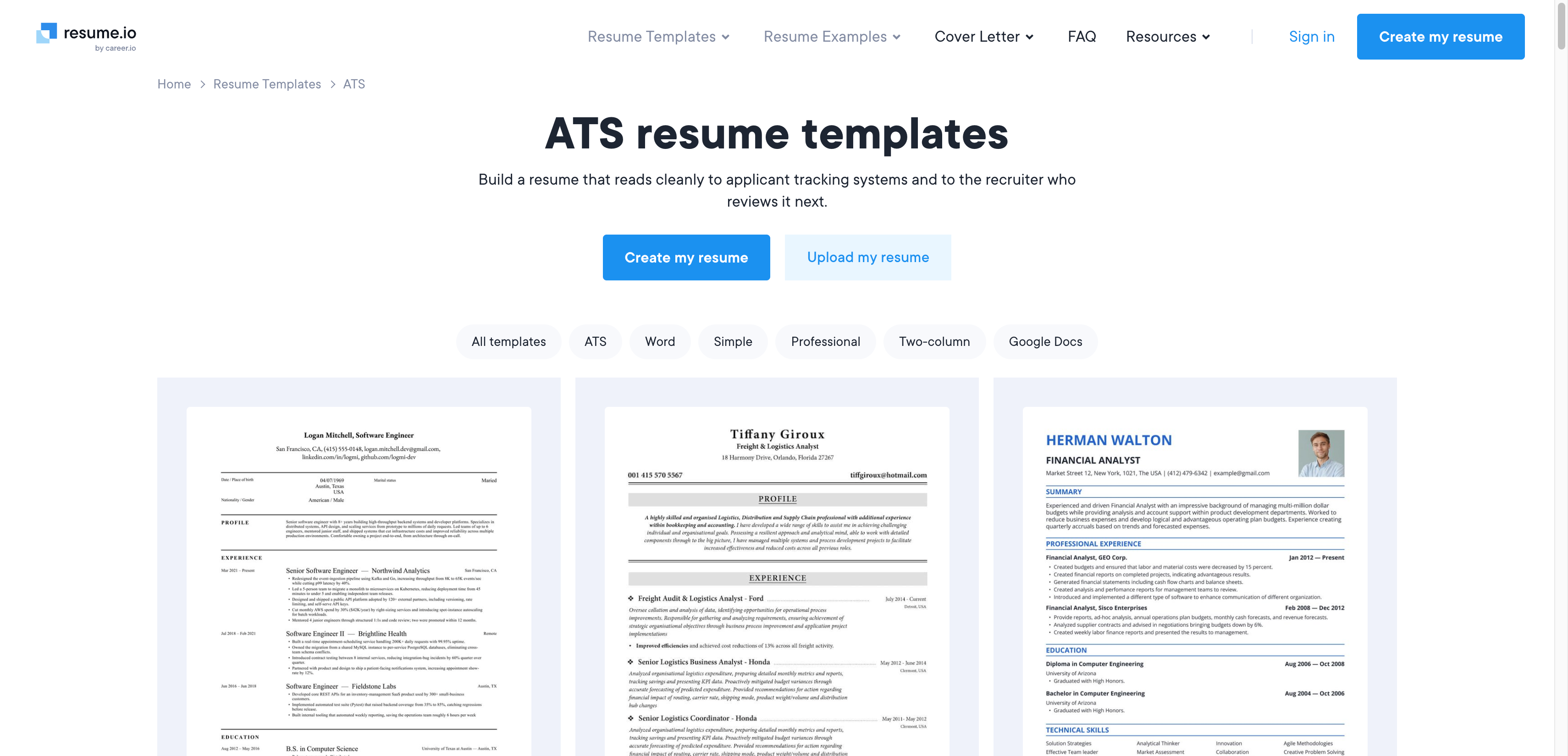
- Use clear headings: Skills, Experience, Education, Projects
- Avoid icons, graphs, and tables if you’re unsure
- Use standard fonts and plain text
- Save as PDF unless the application asks for Word
“Special skills” on job applications: what to write (with examples that don’t feel cringe)
When applications ask for “special skills,” they usually mean: useful extras that affect hiring decisions.
Examples:
- Languages
- Certifications
- Licenses
- Specific tools
- Availability (nights/weekends)
- Portfolio-ready skills (editing, design, coding)
Fill-in template
Skill/tool — proficiency — proof
Examples:
- Spanish — fluent — used in customer support to resolve billing and account issues
- First Aid/CPR — certified — valid through 2027
- Canva — advanced — created brand templates for a student org used weekly
- Driver’s license — full — comfortable driving vans (if relevant)
- Excel — intermediate — built PivotTable-based weekly reports for inventory tracking
What NOT to put
- Vague traits: “hard worker,” “nice,” “good attitude”
- Sensitive personal info
- Random hobbies unless directly job-relevant (your pottery era is valid, just not for the finance internship)
How to describe yourself on a resume (without sounding like everyone else)
If your summary says “motivated team player,” you are blending into the wallpaper.
A better approach: pick 2–3 role-relevant strengths and attach proof.
Use “evidence adjectives”
Organized because you ran something. Proactive because you initiated something. Detail-oriented because you reduced errors.
3 plug-and-play summary templates
1) Student / new grad
Early-career [target role] with experience in [tools] and [relevant tasks] through [internship/projects/part-time work]. Known for [strength] demonstrated by [proof]. Interested in roles focused on [area of expertise].
2) Career changer
Career changer moving from [old field] into [new field], bringing strengths in [transferable skills] and hands-on experience with [tools/certs]. Recently [project/output] and improved [result]. Looking for a [role] where I can [value you deliver].
3) 1–3 years experience
[Role] with [X] years experience in [core responsibilities] using [tools]. Strong in [expertise cluster] with a track record of [outcome]. Comfortable working across teams to [result].
Keep it short
2–4 lines max. Nobody wants your life story. They want your match.
Quick tailoring checklist (10 minutes per application)
This is the part that gets you interviews.
Step 1: Highlight keywords
From the job description, pull 8–12 skill keywords including exact tool names.
Step 2: Match each keyword to proof
If “SQL” is listed, where’s the SQL proof? If it’s not on the resume, either add proof or remove the skill.
Step 3 (yes, skipping matters): Reorder your Skills section
Put the most relevant skills first. Recruiters read top-down.
Step 4: Add 1–2 mirrored bullets
Add one or two bullets that match the job’s top responsibilities, truthfully.
For more tips on how to effectively update your resume, check out this resource.
Step 5: The 30-second story test
For every listed skill, ask: Can I explain how I used this in 30 seconds?
Burnout-friendly “good enough” version
Tailor only:
- Your Skills section
- Your top 2 most relevant bullets
That alone can improve match rate without stealing your entire evening.
Common mistakes (that quietly cost interviews)
These are the sneaky ones.
- Listing soft skills with no proof anywhere
- Using broad skills like “Microsoft Office” instead of Excel/Word/PowerPoint (and ideally what you actually did in them)
- Including outdated or irrelevant skills that dilute your focus
- Inconsistent naming (“G-Suite” vs “Google Workspace”)
- Pick the job post wording. Make it easy to match.
- One resume for every job
- Your resume should be a targeted document, not your entire autobiography.
Understanding skills for resume in 2026
When deciding which skills to highlight on your resume, start by carefully reviewing the job description. The most frequently mentioned tools and responsibilities typically indicate the employer’s priorities. Focus on selecting skills you can genuinely demonstrate through your experience. Including soft skills is acceptable but keep them limited to two to four, ensuring your bullet points provide concrete examples that prove these qualities—otherwise, they risk sounding like filler. It’s perfectly fine to use the exact wording from the job description for better ATS matching, provided you truly possess those skills and can substantiate them. Avoid using skill bars or proficiency ratings as they often don’t add value and may even cause issues with ATS parsing. Instead, showcase your proficiency through specifics such as features used, projects completed, or relevant certifications. If you lack hard metrics, emphasize the scope and frequency of your work—phrases like “daily,” “weekly,” “for a 5-person team,” or “across 3 projects” offer valuable context while maintaining honesty and credibility.
Want the low-stress way to get your career systems together?
Resumes are just one piece of adulting. The real sanity saver is having simple systems so you’re not reinventing the wheel every time you apply for something, move apartments, or deal with life admin.
Want a more strategic job-search plan? Download the free Escape the Job Board Treadmill Playbook and learn how to get found, reach the right people, and uncover opportunities beyond job boards.
In addition to this resource, it’s also important to equip yourself with effective job search strategies. For recent graduates entering the job market, these 7 job search tips could be invaluable. They emphasize the importance of focusing on one or two target roles, utilizing fewer but more effective tools during your search, and tailoring only the necessary parts of your application.
Moreover, when crafting your resume for 2026, it’s essential to reconsider certain traditional elements. For instance, should you include your address on your resume in 2026? Probably not – here’s why most US resumes shouldn’t list a street address. Instead of a full address, using just city + state is recommended along with a few exceptions (relocation, onsite roles, time zone considerations).
FAQs (Frequently Asked Questions)
Why do resume skills matter more in 2026, and what are recruiters actually scanning for?
In 2026, recruiters skim resumes quickly, focusing on ‘skills’ as the fastest proof signal. They scan for role keywords (job titles, core responsibilities), tool keywords (software, platforms), functional skills (abilities that create outcomes), and signals of proof like projects, metrics, certifications, or context.
What defines a ‘skill’ on a resume in today’s job market?
A skill on a resume is a job-relevant ability, including hard skills (tools, software, technical abilities, certifications), soft skills (communication, leadership) only when demonstrated through actions and results, and transferable skills (project coordination, customer service) useful especially for early-career candidates or those pivoting careers.
How does an Applicant Tracking System (ATS) impact how I should list my skills on a resume?
Most companies use ATS to parse resume text and look for keyword matches with the job description. To pass ATS filters, your resume should clearly include relevant keywords without weird formatting like columns or graphics. Using exact wording from the job posting improves your chances of surfacing in ATS results.
How many skills should I list on my resume without appearing unfocused or keyword-stuffed?
For most early-career resumes, listing 8–15 core skills is ideal. More can work for highly technical roles only if every skill is relevant and provable. A long list may signal lack of focus or keyword padding to recruiters.
What types of skills should I include to avoid sounding generic on my resume?
Include three types: hard skills (tools, software, technical abilities), soft skills demonstrated through specific actions and outcomes (e.g., writing stakeholder updates), and transferable skills that cross jobs such as customer service or project coordination. Prioritize those matching the job posting and backed by proof.
What is an effective low-energy method to update my resume’s skills section quickly?
Open the job description and copy the top 8–12 skill phrases you truly have. For each skill, add one proof point, such as a bullet from experience, project detail, certification, class assignment, or portfolio item. This approach helps your resume get noticed instead of being skimmed and forgotten.
Keep formatting consistent and concise. Focus on clarity by grouping related skills, and use active language. This method not only saves time but also ensures your resume is tailored for each application without overwhelming effort.
Get the free Job Search Playbook
Stop relying on crowded job boards. Get the free 7-day playbook with practical tools, outreach scripts, and a step-by-step plan to find better opportunities.